 Trigonify
Precalc & Algebra 2 students
Unit circle homework, graph transformations, law of sines and cosines — with worked steps you can compare against your own, and drills before the test.
Out now on the App Store & Google Play
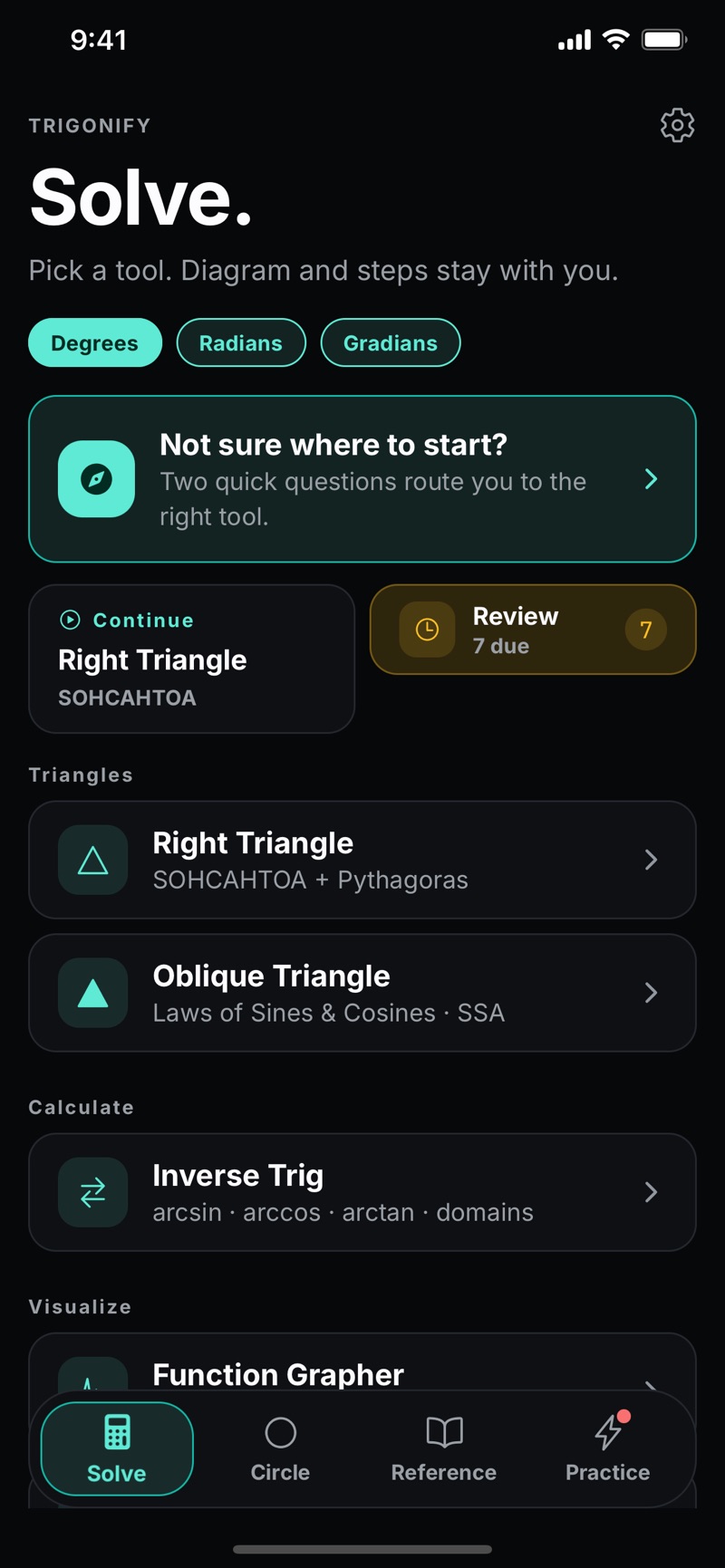
Trigonify is a trigonometry study app for iPhone and Android built around a draggable unit circle, triangle solvers that show their working, and a searchable formula library. No signup. No ads. No connection required.
Free · version 1.0 · no account, no ads, works offline.
On your phone
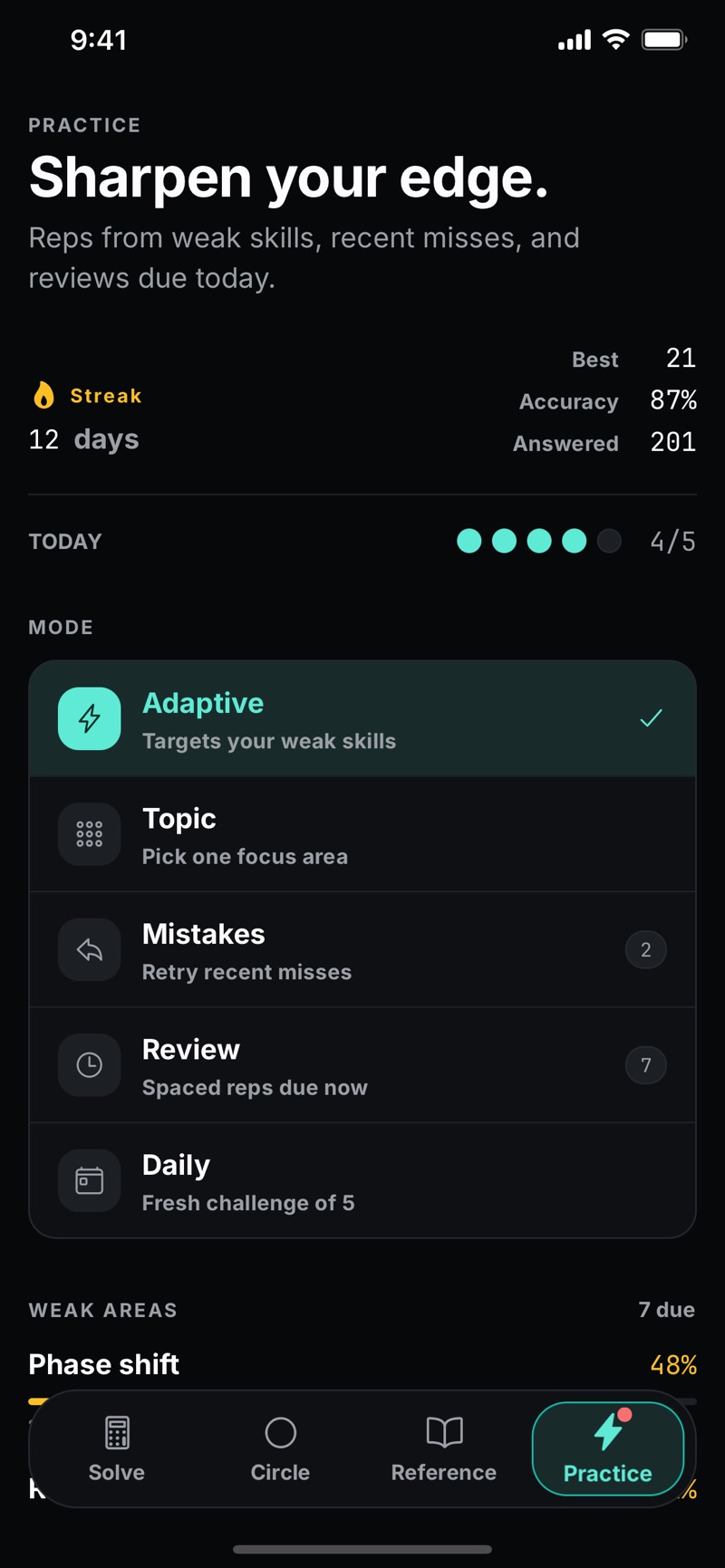
Real screens from version 1.0 — no mockups. Each tab of the app owns one part of the course, and every one of them works with the phone in airplane mode.
The deal
Most math solvers phone home, interrupt you with ads, and lock the basics behind a recurring paywall. Trigonify is deliberately the opposite.
No backend, no network calls. Every solve, graph, and drill runs on your phone. Airplane mode changes nothing.
Open the app and start working. Nothing to create, nothing to watch, nothing tracking you between problems.
Not a camera pointed at everything — a focused tool that goes deep on trigonometry, from SOHCAHTOA to the SSA ambiguous case.
Core surfaces
Trigonometry clicks when you can move things. Trigonify's main screens are interactive diagrams first, calculators second.
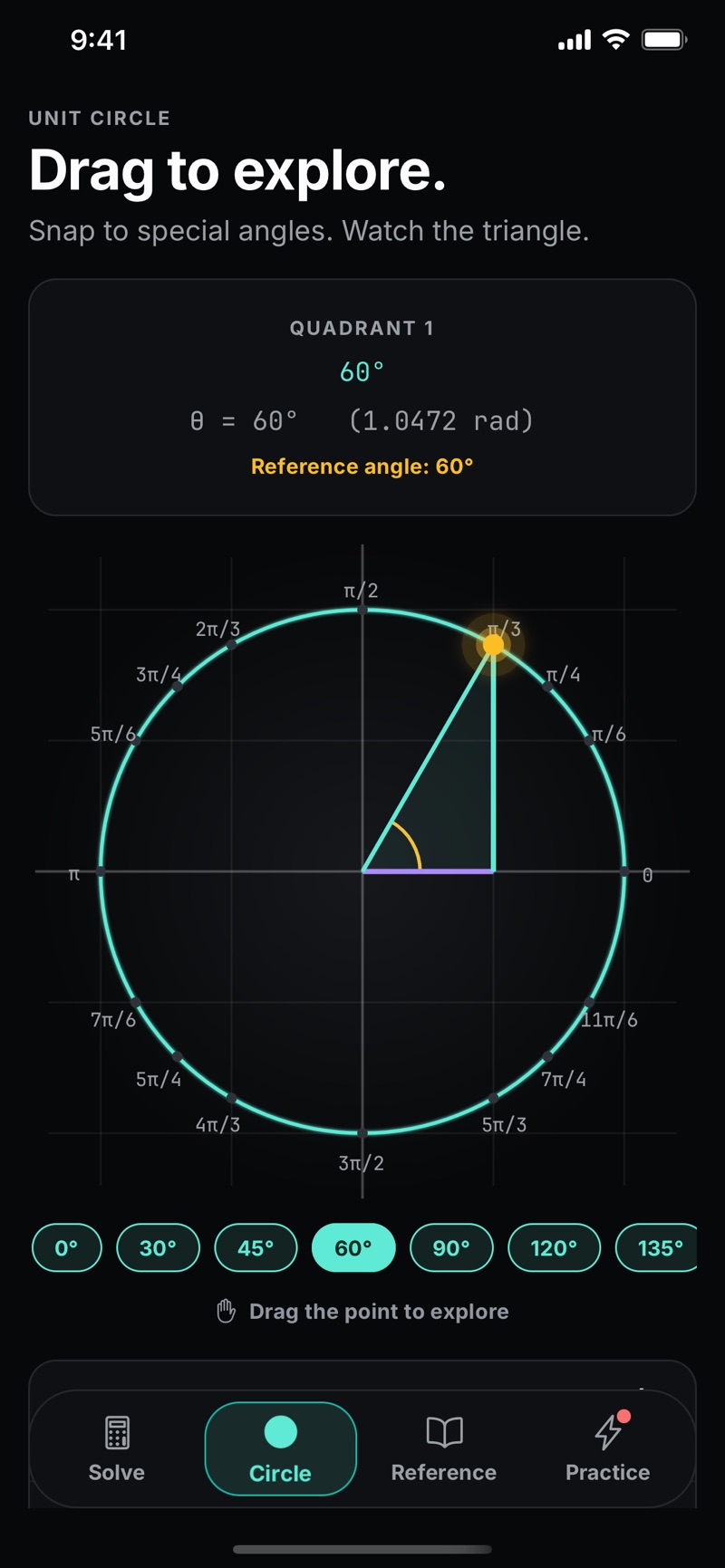
Drag the point around the circle and watch sine, cosine, and tangent update live. Snap to the special angles and get exact values — fractions with roots and π, like sin(π/6) = 1/2 — not just decimals. A reference-triangle overlay shows where the values come from, with a haptic tick at each snap.
snap: 15° / 30° / free · exact values at 16 special angles · reference angle + quadrant readout
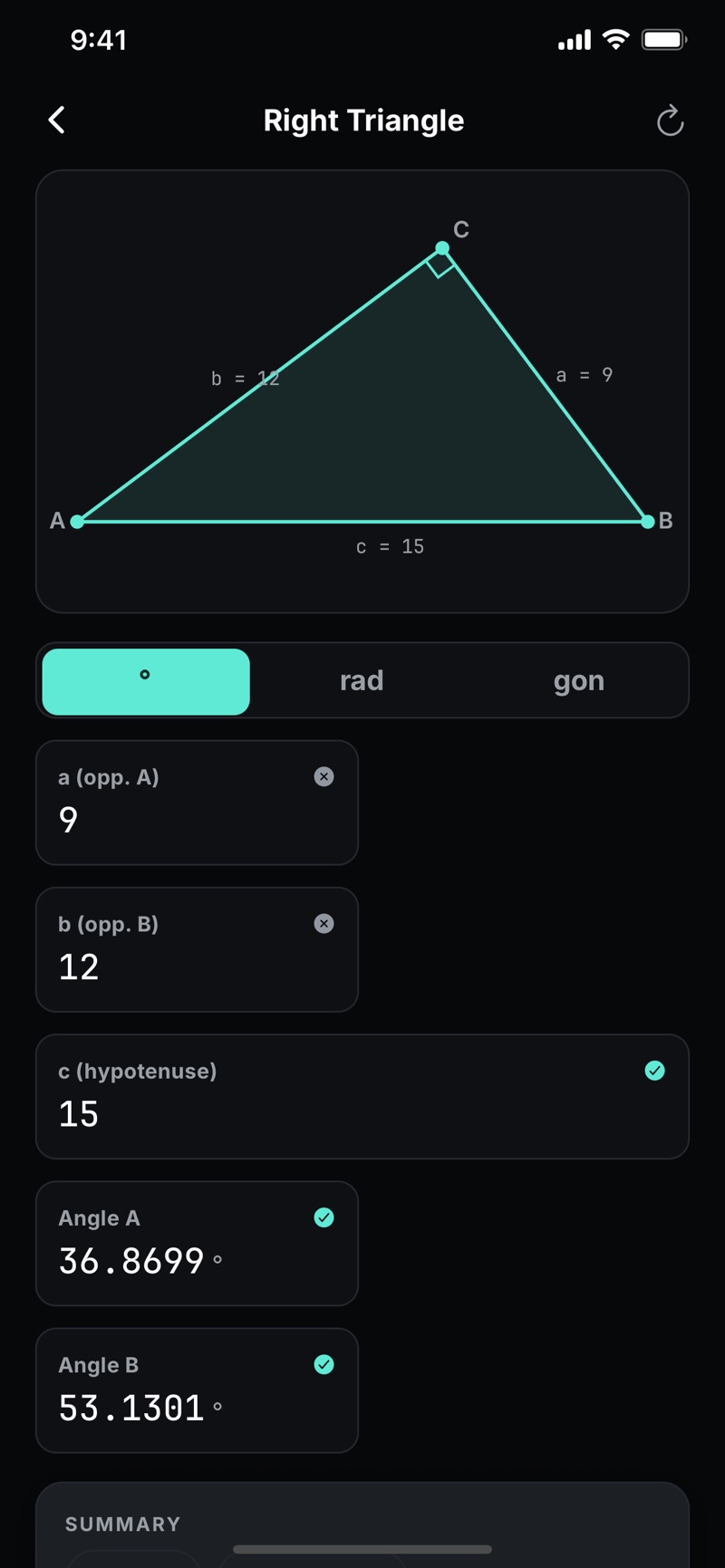
Enter any two of the five parts of a right triangle and Trigonify solves the rest with clean, step-by-step working — which ratio it used and why. The oblique solver classifies SSS, SAS, ASA, AAS, and SSA, applies the law of sines or cosines, and handles the SSA ambiguous case properly: zero, one, or two triangles, drawn live.
deterministic worked steps · live-morphing diagram · SSA acute/obtuse toggle
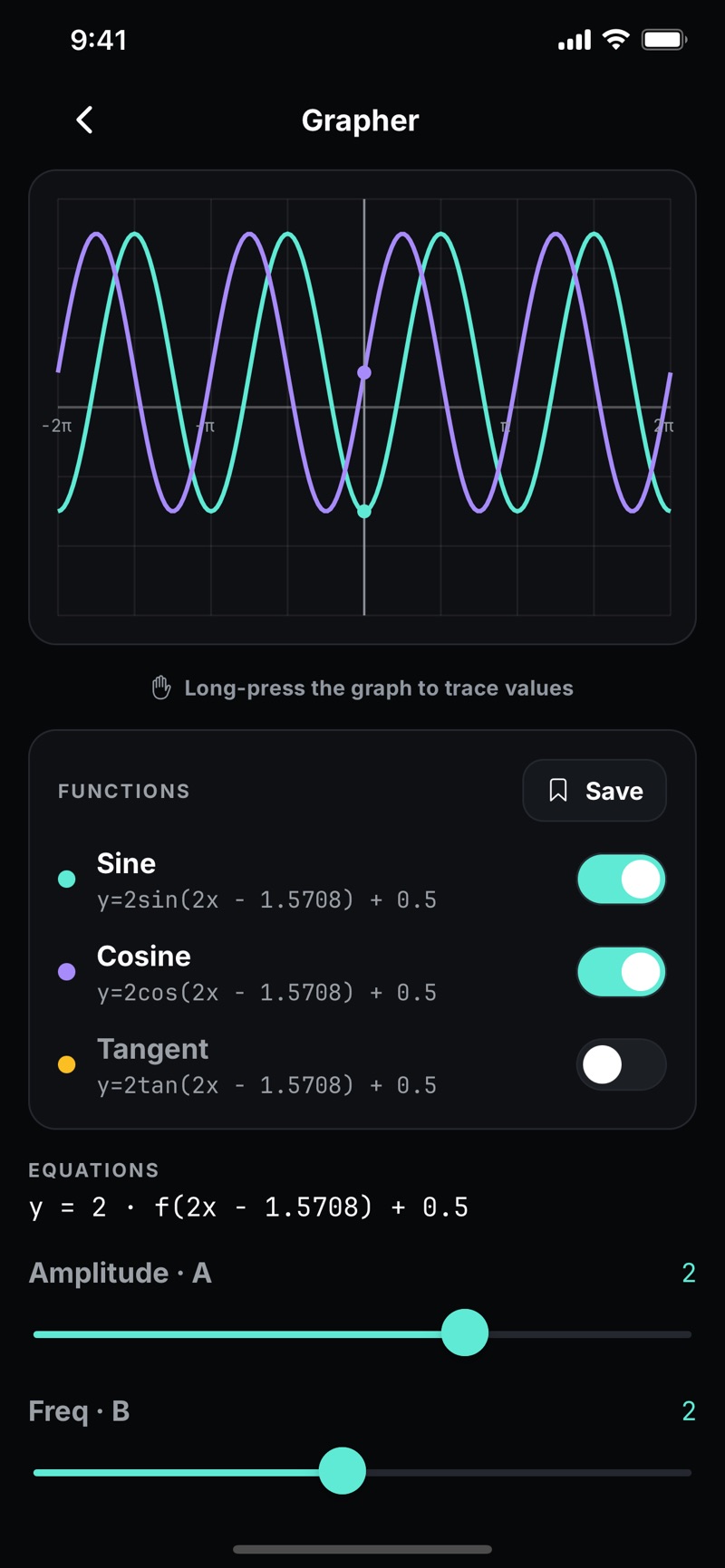
Slide amplitude, period, phase, and vertical shift and watch sine, cosine, and tangent respond instantly — asymptotes included. A linked phase-shift playground ties the unit circle to the wave: drag either one and the other follows, which is the fastest way to finally internalize why sin(x − π/4) shifts right.
live sliders · tan asymptote clipping · linked circle ↔ wave scene
Every identity you'll meet in a trig course — Pythagorean, reciprocal, quotient, cofunction, sum and difference, double and half angle — searchable, filterable, and starrable. Export your current view as a PDF formula sheet to print or share. An exam mode hides the solvers and leaves just the calculator and reference, so practice stays honest.
searchable + favorites · PDF formula sheet export · exam mode toggle
Also in the box
Who it's for
Unit circle homework, graph transformations, law of sines and cosines — with worked steps you can compare against your own, and drills before the test.
No subscription meter running while you relearn at your own pace. The app works the same on day one and day four hundred, entirely on your device.
Standardized-test trig is right triangles, radians, and the unit circle. Drill them, star the identities you keep forgetting, and export a formula sheet.
Localization
36languages
Trigonify is fully localized into 36 languages — from Spanish, Hindi, and Arabic to Japanese, Ukrainian, and Filipino — including proper right-to-left layouts for Arabic and Hebrew. Math notation stays universal: sin, cos, θ, and π look the same everywhere, so the app never gets between you and standard notation. Switch languages instantly in settings, no restart needed.
Study guides
Written to be useful whether or not you ever install the app.
Questions
Yes — Trigonify is out on both. Download it from the Apple App Store on iPhone (iOS 16.4 or later), or from Google Play on Android. The download is free, there is no account to create, and there are no ads.
Yes. Everything — the unit circle, triangle solvers, grapher, formula reference, and practice drills — runs entirely on your device. There is no backend server, so it works in a basement classroom, on a plane, or anywhere without signal.
No account, no signup, and no ads. Trigonify is local-only: your settings, practice streaks, and favorites are stored on your device, not on a server.
The triangle solvers show deterministic, hand-written worked steps — which ratio or law was used and how the value was computed — rather than a bare numeric answer, so you can follow the same working you would write on paper.
Yes. The oblique triangle solver classifies SSS, SAS, ASA, AAS, and SSA inputs, and for SSA it detects whether there are zero, one, or two valid triangles and shows the result visually.
Trigonify is fully localized into 36 languages, including Arabic and Hebrew with right-to-left layouts. Math notation stays in standard form in every language.
The trigonometry topics Trigonify covers — right triangles, the unit circle, radians, and graph transformations — appear on both exams, and the practice drills and formula reference are built for exactly that kind of review. Trigonify is an independent app and is not affiliated with or endorsed by the College Board or ACT, Inc.